
■ NovoGov by Novo Solutions · Established 1999
WORK ORDER SOFTWARE
Track and manage work orders across multiple departments from a desktop or mobile device, with parts, labor hours, procedures, and photos attached to every job.
Trusted by communities in 37 U.S. states, from Rockland, ME to Capitola, CA.
■ Sound familiar
Why work orders slip through the cracks
Most public works and utility teams are not short on effort. They are short on one system that holds the work, the cost, and the history.
NovoGov Work Order Software
NovoGov Work Order Software is a cloud-based system that local governments use to create, assign, and track work orders across multiple departments, attach parts, labor hours, procedures, and photos to each job, and report on the work from a desktop or from a mobile device in the field. Some governments call this work order management software or work request management software; the job is the same either way.
Crews create, access, and update work orders from the office or out in the field. The built-in asset management software ties each work order to the asset it was performed on, so the maintenance history, the cost, and the photos live with the equipment instead of in somebody’s notebook.
■ See it running
Watch the demo
■ Multi-department work orders
Every department runs its work in one system
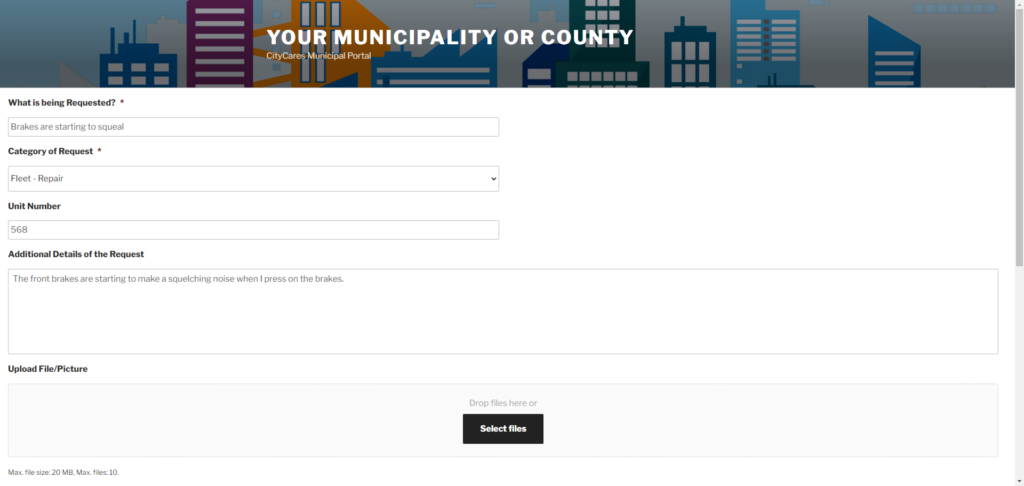
Public Works, Utilities, Facilities, Fleet, IT, Cemeteries, Airports, construction sites and more can all run their work on the same system. Flexible permission roles decide which department sees and manages which work orders, and an employee portal lets employees or customers submit requests and receive a notification when the work is complete.
■ Scheduling and workflow
Work that routes and schedules itself
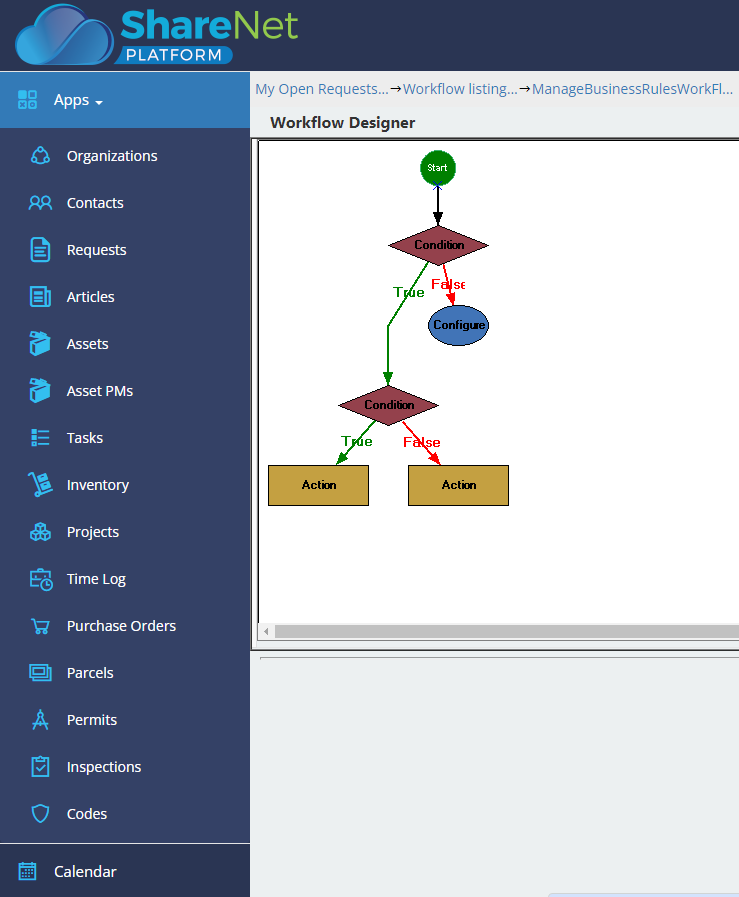
Built-in workflows auto route requests to the department that owns them, automate the notifications, and create approval tasks where work needs a sign-off before it starts. Preventative and scheduled maintenance reminders are automated, and procedures, documents, and pictures are uploaded to the work order so troubleshooting does not depend on who is on shift.
■ Costs and reporting
What the work cost, and what to tell the board
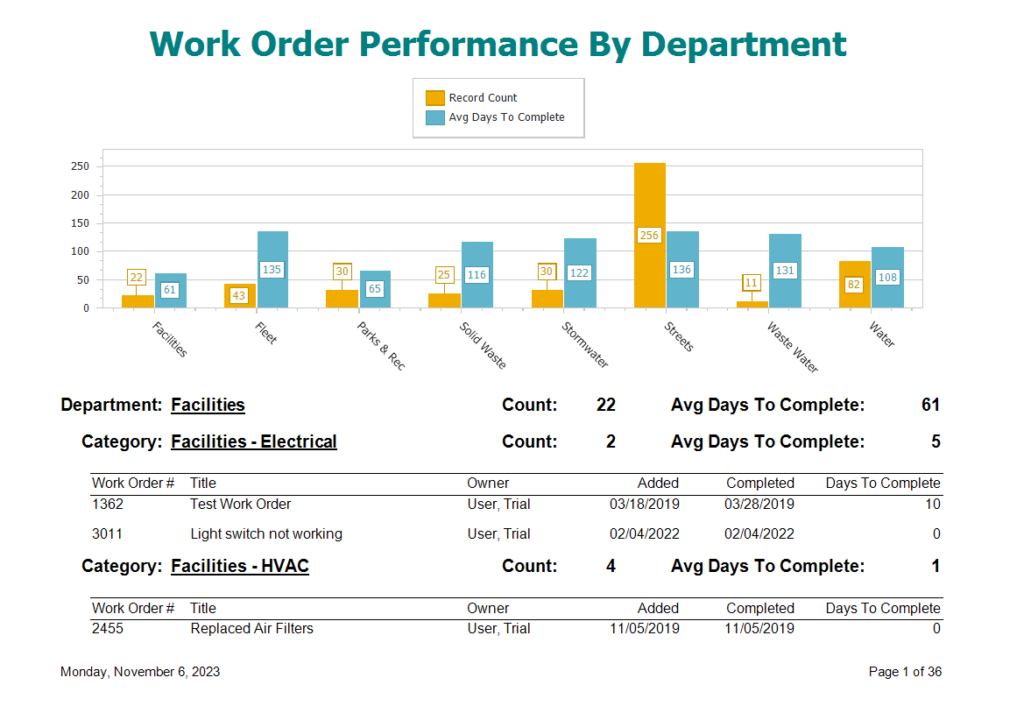
Every work order carries its related parts and labor hours, including FEMA related costs, so the cost of the work is captured while the work is happening. Updating at the point of completion eliminates delayed updates and reduces errors. Custom reports and dashboards then summarize maintenance history, future cost projections, and staff performance in a variety of ways in real time.
■ Where it runs
Multi-department work order management
One work order system, set up for each department that uses it, with its own forms, workflows, and reports.
■ What switching looks like
Going live without losing a work order
Crews keep working the whole time. Nothing gets turned off until the new system is running.
What our clients say
Steve Blasko, Public Works Director

“What really stood out is that the team at Novo took the time to talk to us, explaining all you can do when you’re utilizing NovoGov. You’re not getting a cookie cutter mobile system when you buy Novo. They’re creating a system tailored to your needs. Their team sat down with every department and built a work order system specifically for them.”

Thomas Wilbur, Highway Superintendent

“With NovoGov, it’s easy to collect and view the data in a way that actually makes sense. What used to take 45 minutes now takes less than 2—and it’s accurate, searchable, and right at our fingertips. The only thing limiting us now is time and imagination.”
Thomas Wilbur, Highway Superintendent, Keith County, Nebraska

David Seugling, Public Works Director
“Switching to NovoGov has been a game changer for our department. It’s streamlined communication, eliminated paperwork, and made it easy for our field crews to update work orders in real time. The system is incredibly flexible and user-friendly — I’d make the switch to NovoGov again in a heartbeat.”
David Seugling – Public Works Director

Todd Philbrook, Public Works Director
“NovoGov works REALLY well for us. It’s easy to enter data, easy to look up complaints, and flexible enough that it can be tailored to match exactly how we operate. The support has been phenomenal, and it’s saving us time across the board.”
Todd Philbrook, Public Works Director

■ Taking it to the board
What this looks like in a council packet
■ Built for government
What your procurement team will ask
■ Questions we get
Work Order Software FAQ
■ Next step
Request a demo
A working session on your own work types, not a slide deck. We will show you how a request becomes a work order, how it routes and gets scheduled, and what the cost report looks like at the end of the quarter.