
■ NovoGov by Novo Solutions · Established 1999
Code Enforcement Software
Move off paper and spreadsheets to track violations, run mobile inspections, and generate violation notices from one system, built for small and mid-sized cities and counties.
Trusted by communities in 37 U.S. states, from Rockland, ME to Capitola, CA.
■ Sound familiar
Why code cases stall
Most code departments are one or two people. They are not short on effort, they are short on one place that holds the complaint, the inspection, and the notice.
Code Enforcement Management Software
NovoGov Code Enforcement Software is a system local governments use to take in complaints, open a case, run inspections from a phone or tablet, auto-generate violation notices, and keep a documented record of each case from first report to resolution. Some governments call this code compliance software or municipal code enforcement software; the job is the same either way.
It is part of our Community Development system and runs on the same configurable platform as our work order management software, so a complaint, the case it becomes, and the work that answers it all sit in the same place. Your team can use it from the office or from the field.
■ See it running
Watch the demo
See how NovoGov Code Enforcement Software streamlines inspections, automates violation tracking, and generates compliance reports in real time. This demo highlights how municipalities can manage cases, attach photos, and create code violation letters directly from the field.
■ Intake and the case
From a resident report to an open case
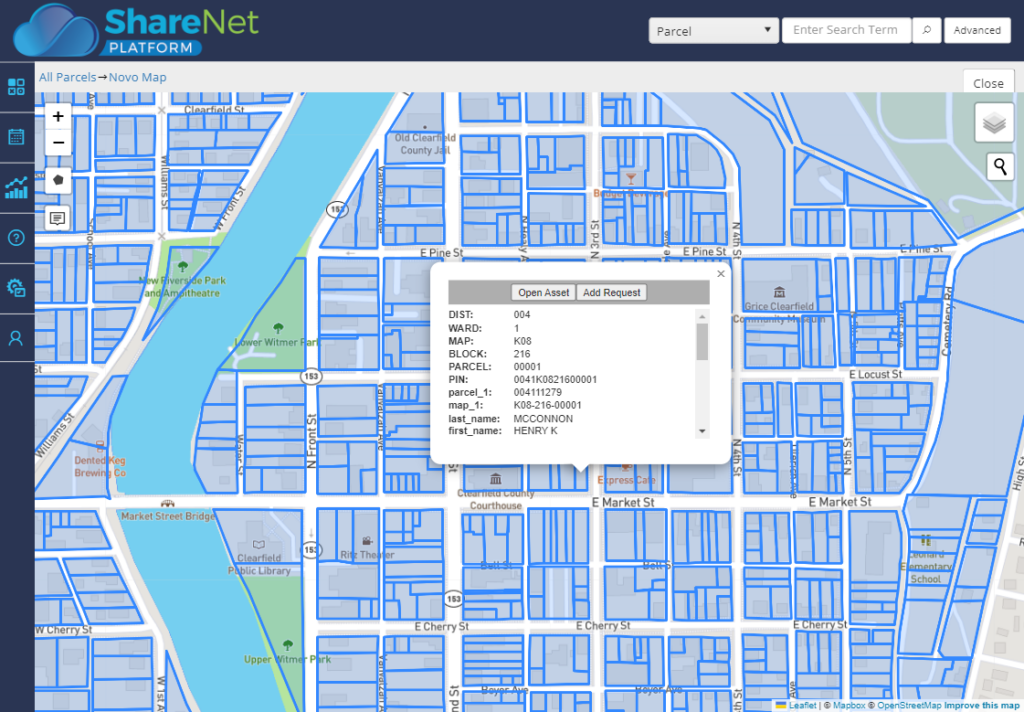
Residents submit code violation complaints through a citizen portal, and complaints coming in through Citizen Request Management route straight to your code enforcement dashboard for review. Each complaint becomes a case: geo-code the incident, pull parcel information, and see it on the map, with the case fields your team built in the Custom Form Designer.

■ Out in the field
Inspect it, photograph it, and log it from the phone
An officer manages and updates inspections and violations from a phone or tablet, records findings on a custom inspection form, and attaches photos from the field. Complaints and inspections are geotagged and related to GIS parcel data, so violations can be viewed on a map. Every activity is documented as it happens, building the paper trail of inspections done and warnings issued.
■ Notices and reporting
Auto-generated notices, and a case you can close
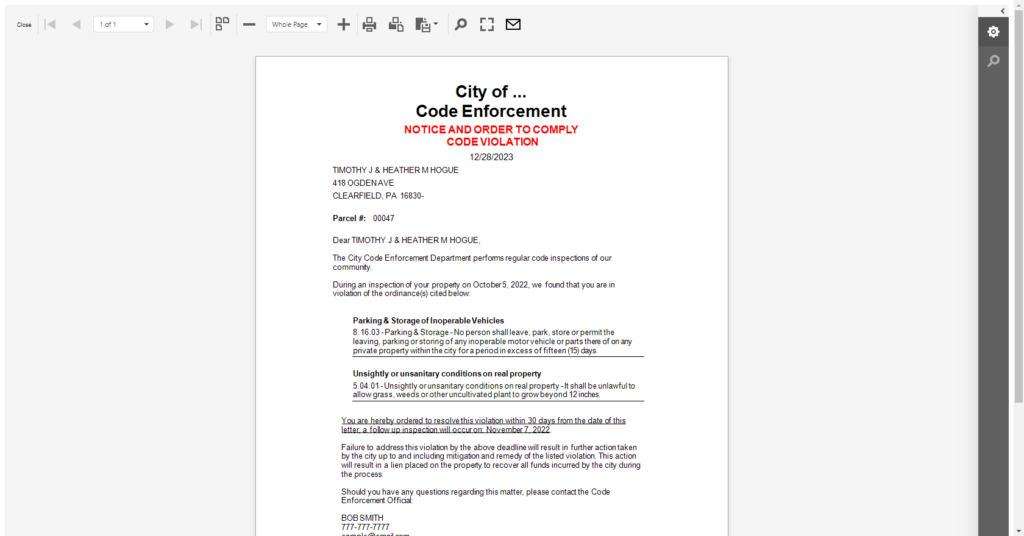
Auto-generate the violation letter with mail merge, then print or email it, so notices go out faster and read the same way every time. When the case closes it carries a complete record of everything that happened, from the first complaint to the final inspection. Custom reports show open cases, status, and totals, and cases can be viewed on the map.
■ Start to finish
From Complaint to Compliance
NovoGov follows a code case from the first complaint through to resolution, so nothing slips through the cracks and every step is documented in one place.
■ What switching looks like
Going live without losing a case
Open cases keep moving the whole time. Nothing gets turned off until the new system is running.
What our clients say
Andy Elder, Street Foreman

“Our Streets team really likes NovoGov, especially because of its mapping capabilities and that I can see all the work orders on my phone while I’m out in the field. Now if a request comes in, I can take snapshots of the work to be done, work in progress, and finalized work, which all help to show proof of the process. The ability to easily document work, locate assets, and manage preventative maintenance of assets on one system is everything to our department. The NovoGov application has saved us a lot of time. Now we have access to documentation in real time vs. lost on a massive worksheet on the office computer.”

Tiffanie Salone, Public Works Office Coordinator

“NovoGov, on the ShareNet Platform, has been a great addition to our Public Works Department and is an integral part of our daily operations. Most of the Administrative staff and I use the NovoGov Requests application. I use the software to review and respond to external public requests, entering requests received via phone and from office visitors. The new request and editing functions are very user friendly and are highly beneficial in providing better customer service and response time.”

Thomas Wilbur, Highway Superintendent

“With NovoGov, it’s easy to collect and view the data in a way that actually makes sense. What used to take 45 minutes now takes less than 2—and it’s accurate, searchable, and right at our fingertips. The only thing limiting us now is time and imagination.”
Thomas Wilbur, Highway Superintendent, Keith County, Nebraska

David Seugling, Public Works Director
“Switching to NovoGov has been a game changer for our department. It’s streamlined communication, eliminated paperwork, and made it easy for our field crews to update work orders in real time. The system is incredibly flexible and user-friendly — I’d make the switch to NovoGov again in a heartbeat.”
David Seugling – Public Works Director

Todd Philbrook, Public Works Director
“NovoGov works REALLY well for us. It’s easy to enter data, easy to look up complaints, and flexible enough that it can be tailored to match exactly how we operate. The support has been phenomenal, and it’s saving us time across the board.”
Todd Philbrook, Public Works Director

■ Taking it to the board
What this looks like in a council packet
■ Built for government
What your procurement team will ask
■ Questions we get
Code Enforcement Software FAQ
■ Next step
Request a demo
A working session on your own violation types, not a slide deck. We will show you how a complaint becomes a case, how an officer inspects it from a phone, and what the violation letter looks like when it comes out.