
■ NovoGov by Novo Solutions · Established 1999
COUNTY ASSET MANAGEMENT SOFTWARE
Roads, signs, bridges and storm drains on the map, and the buildings, fleet and equipment that are not, all carrying the same work history, conditions and costs.
Trusted by communities in 37 U.S. states, from Rockland, ME to Capitola, CA.
■ Sound familiar
Why a county is harder to inventory than a town
A county owns two kinds of assets: the ones the GIS layer already knows about, and the ones only a filing cabinet, binder or an individual knows about. Most systems make you pick which of the two to keep properly.
Operations Management Software for Counties
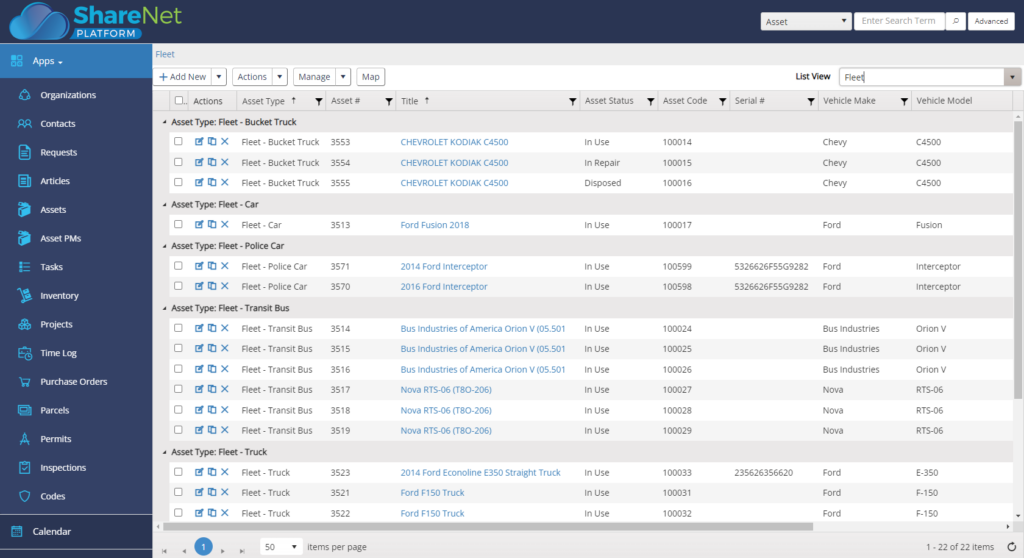
NovoGov county asset management software gives a county one register for GIS based assets (roads, signs, bridges, storm drains) as well as non GIS based assets (buildings, fleet, equipment, etc.), and tracks their installation or maintenance dates and conditions, schedules repair jobs, and logs work performed against each one. Some counties call this county government asset management or county public works software; the job is the same either way.
It is part of our Public Works Operations Management system, and it runs all from one convenient cloud-based system (in the office or with your phone/tablet out in the field). Our asset management software is built for the small to mid-sized county rather than for the large ones.
■ The county register
One register, whether it is on the map or not
Complete asset visibility, with the ability to see work order history, inspections, maintenance costs and more. Geotag Assets to display on a map, define asset icons, access Map Layers, and add Assets and related Work Orders from the map, so the culvert and the courthouse sit in the same system. Powerful infrastructure asset management can be used from anywhere on any device.
■ Out on the county
Logged at the culvert, with or without a work order
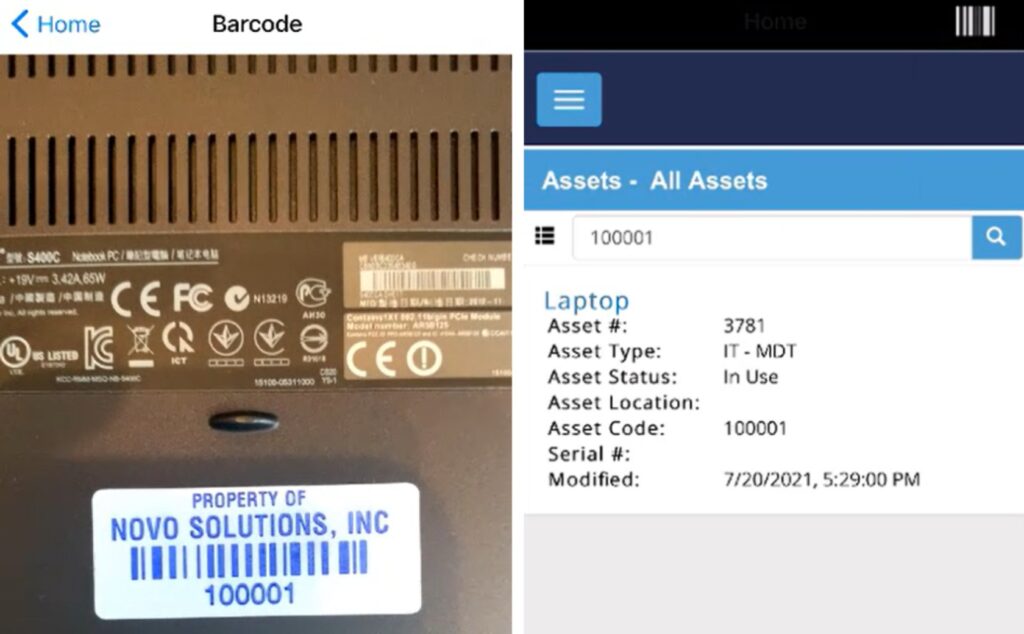
A county crew does not need a work order to record its work. Log what was done straight against the road or the asset from a phone: twelve potholes filled on three roads, or eight hours of storm cleanup and the equipment it took. Routes are handled in the same system too. When a job does call for a work order, the phone handles that as well. Create, edit, search, map, and track work orders in real-time on your phone and reduce or eliminate the back and forth trips to the shop. Paperless, streamlined communication and forget wasting time getting back to the office, simply edit, update, and close work orders in the field. Mobile App with Barcode Scanning of Assets and Parts Inventory, so the tag on the grader and the tag on the supply bin read the same way.
■ The county budget
The numbers a board will actually act on
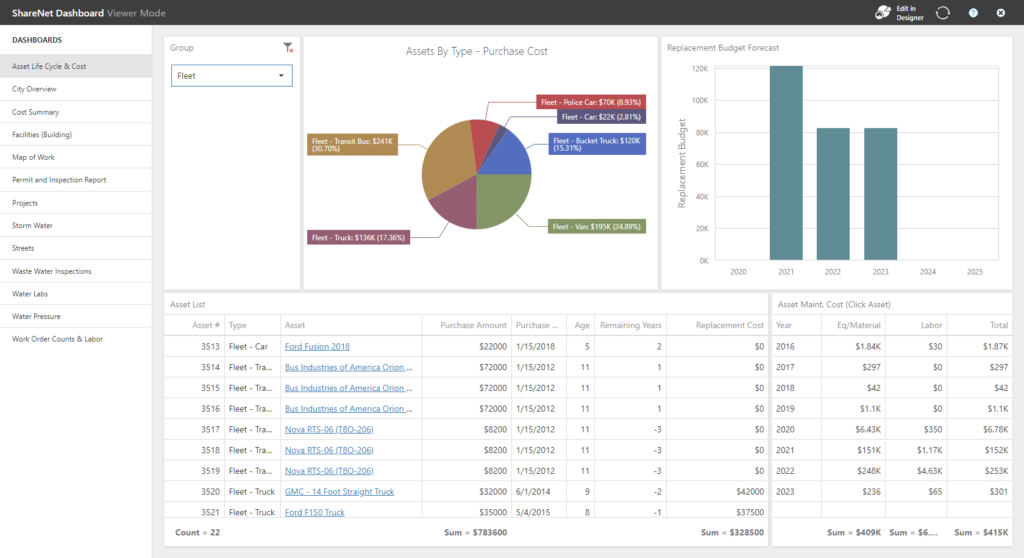
Make decisions on data, by exploring labor, inventory, and maintenance costs. Use information to spot performance trends, monitor labor hours, track productivity, materials, and set county benchmarks for budget meetings. The Novo Solutions asset management platform will provide the summary and details needed to justify budget decisions.
■ One system, five departments
Track and maintain assets across multiple county government departments
Five departments, one register, and one work history behind all of them.
■ What switching looks like
Going live without losing the inventory
The county keeps running the whole time. Nothing gets turned off until the new system is running.
What our clients say
Tiffanie Salone, Public Works Office Coordinator

“NovoGov, on the ShareNet Platform, has been a great addition to our Public Works Department and is an integral part of our daily operations. Most of the Administrative staff and I use the NovoGov Requests application. I use the software to review and respond to external public requests, entering requests received via phone and from office visitors. The new request and editing functions are very user friendly and are highly beneficial in providing better customer service and response time.”

Thomas Wilbur, Highway Superintendent

“With NovoGov, it’s easy to collect and view the data in a way that actually makes sense. What used to take 45 minutes now takes less than 2—and it’s accurate, searchable, and right at our fingertips. The only thing limiting us now is time and imagination.”
Thomas Wilbur, Highway Superintendent, Keith County, Nebraska

David Seugling, Public Works Director
“Switching to NovoGov has been a game changer for our department. It’s streamlined communication, eliminated paperwork, and made it easy for our field crews to update work orders in real time. The system is incredibly flexible and user-friendly — I’d make the switch to NovoGov again in a heartbeat.”
David Seugling – Public Works Director

Todd Philbrook, Public Works Director
“NovoGov works REALLY well for us. It’s easy to enter data, easy to look up complaints, and flexible enough that it can be tailored to match exactly how we operate. The support has been phenomenal, and it’s saving us time across the board.”
Todd Philbrook, Public Works Director

■ Taking it to the board
What this looks like in a council packet
■ Built for government
What your procurement team will ask
■ Questions we get
County Asset Management FAQ
■ Next step
Request a demo
A working session on your own county, not a slide deck. We will show you a culvert and a courthouse in the same register, a day of work logged from a phone without a work order, and what the cost report looks like the week the board meets.